1 min read
Registering for Self Assessment, step by step
Registering is free and done online. You'll get a Unique Taxpayer Reference, which you'll use for years to come.
In short
If you start earning from self-employment or property, you'll usually need to register for Self Assessment. The deadline is 5 October after the end of the tax year in which you started. It's free and done on GOV.UK. You don't need an accountant to do it.
How it works
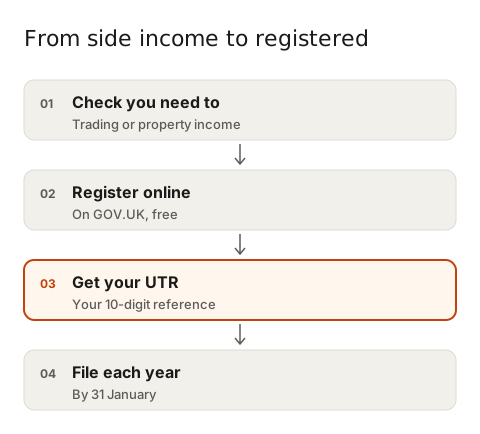
- Check you need to. If your trading or property income is below the relevant tax-free allowance, you may not. See When does a side hustle become a business?
- Register online through GOV.UK. If you're self-employed, registering for Self Assessment also sets you up for National Insurance.
- Receive your UTR. Your Unique Taxpayer Reference is a 10-digit number. It arrives by post or appears in your HMRC online account. Keep it safe: you'll quote it for years.
- Set up your online account so you can file your return. Allow time for activation codes to arrive.
Once you're registered, HMRC expects a return every year until you tell them you've stopped. If your side income ends, let them know, or you may keep getting reminders and penalties.
An example
Daniel started tutoring in September. His first tax year ends the following 5 April, so he has until 5 October that year to register. He registers in May, gets his UTR in a few weeks and files his first return in December, well ahead of the 31 January deadline.
Common mistakes
- Leaving registration until January. The UTR and codes can take weeks to arrive.
- Paying a website to 'register you' when GOV.UK does it for free. Always start from gov.uk.
- Falling for scam texts or emails claiming to be HMRC. HMRC won't text you about a refund or ask for bank details by email.
- Not telling HMRC when you stop trading.
Your next step: if you need to register, do it now rather than in October. Save your UTR in a password manager. If you've missed the deadline, see How to put it right.